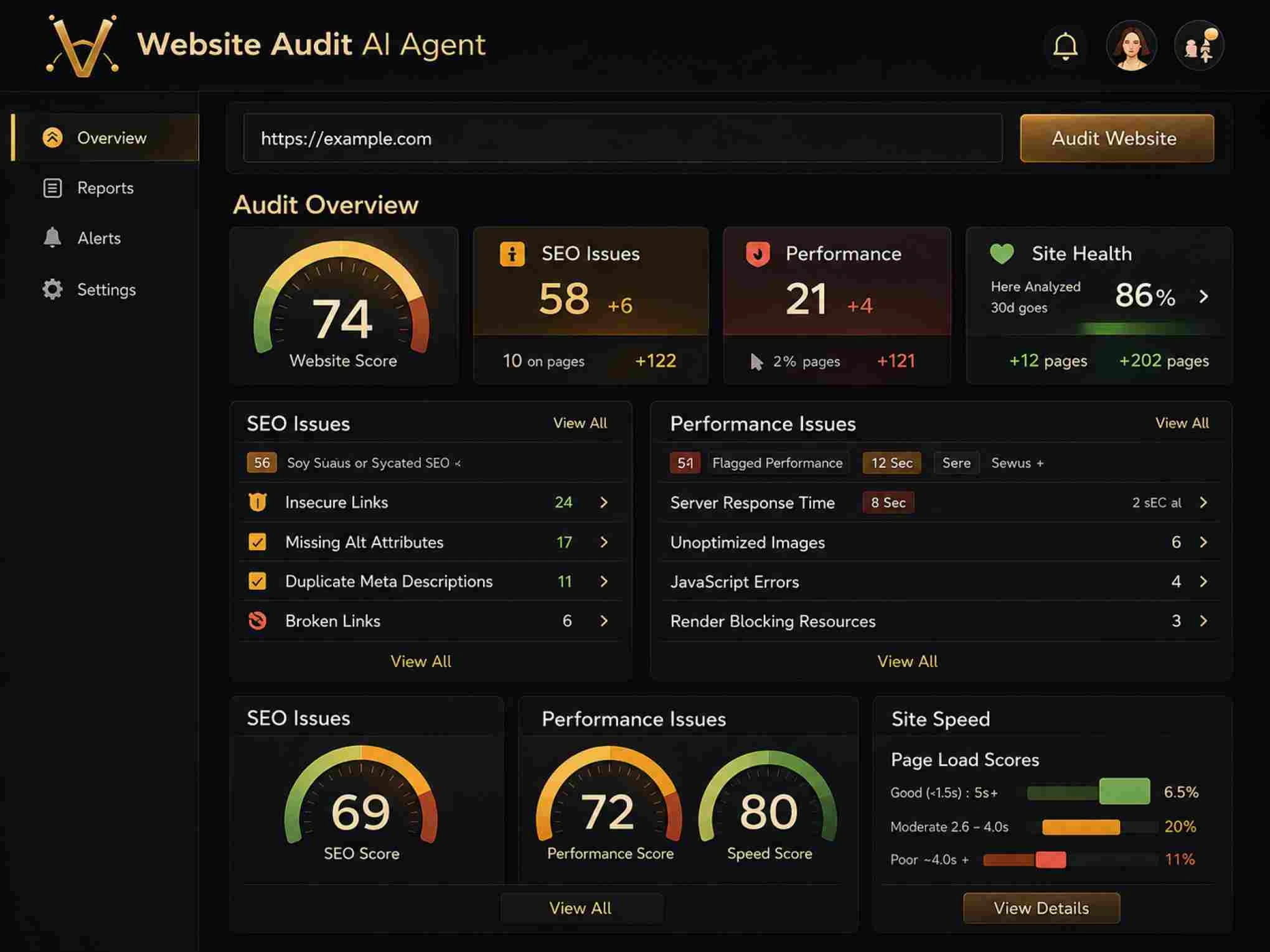
Knowing how to scan your website for technical SEO problems is the first step toward a healthy site, but the real work begins when you start fixing what those scans uncover. Crawl errors sit at the top of nearly every audit report, and they deserve immediate attention. When search engine bots encounter broken pages, redirect loops, or server failures, they waste their limited crawl budget and miss your most valuable content.
Left unresolved, crawl errors quietly erode your rankings, reduce organic traffic, and frustrate users who land on dead-end pages. This guide walks you through a clear, repeatable process for identifying and resolving the most common crawl errors found in a site audit. Whether you manage a 50-page business site or a 50,000-page e-commerce store, these steps apply equally.
Key Takeaways
- Crawl errors block search engines from indexing your most important pages.
- Fix server-level 5xx errors first because they affect your entire domain's crawlability.
- Redirect chains longer than two hops should be collapsed into a single redirect.
- Soft 404 pages waste crawl budget and confuse both users and search bots.
- Schedule monthly audits to catch new crawl errors before they compound into bigger problems.
1. Identify and Categorize Your Crawl Errors
Before you fix anything, you need a complete picture of what's broken. Run a full crawl of your site and export every URL that returned a non-200 status code. Group them by error type: client errors (4xx), server errors (5xx), redirect issues (3xx chains or loops), and soft 404s. This categorization matters because each error type has a different root cause and a different fix. Prioritizing by category prevents you from wasting time on low-impact issues while critical server errors drag down your entire domain.
Using Audit Tools Effectively
A comprehensive guide on how to scan your website for technical SEO problems covers the full range of issues an audit can surface, from crawl errors to schema markup gaps. For this specific task, start with Google Search Console's "Pages" report under the Indexing section. It shows exactly which URLs Google attempted to crawl and failed on. Cross-reference this data with a dedicated crawler like Screaming Frog or an AI-powered SEO tool that can simulate Googlebot's behavior more precisely.
Pay close attention to the volume of each error type. A site with 15 broken links is in a different situation than one with 1,500. The scale dictates whether you fix issues manually or write bulk redirect rules. Document everything in a spreadsheet with columns for the URL, status code, referring page, and proposed fix. This becomes your working checklist and prevents duplicate effort across team members.
Export your Google Search Console crawl error data weekly and compare it against previous exports to spot new errors quickly.
| Error Type | HTTP Status | Impact on SEO | Fix Priority |
|---|---|---|---|
| Server Error | 500, 502, 503 | Blocks all crawling of affected pages | Critical |
| Not Found | 404 | Wastes crawl budget, loses link equity | High |
| Redirect Loop | 3xx chain | Prevents indexing, confuses bots | High |
| Soft 404 | 200 (empty page) | Dilutes index quality | Medium |
| Unauthorized | 401, 403 | Blocks indexing of gated content | Low–Medium |
2. Fix Server Errors and 5xx Responses
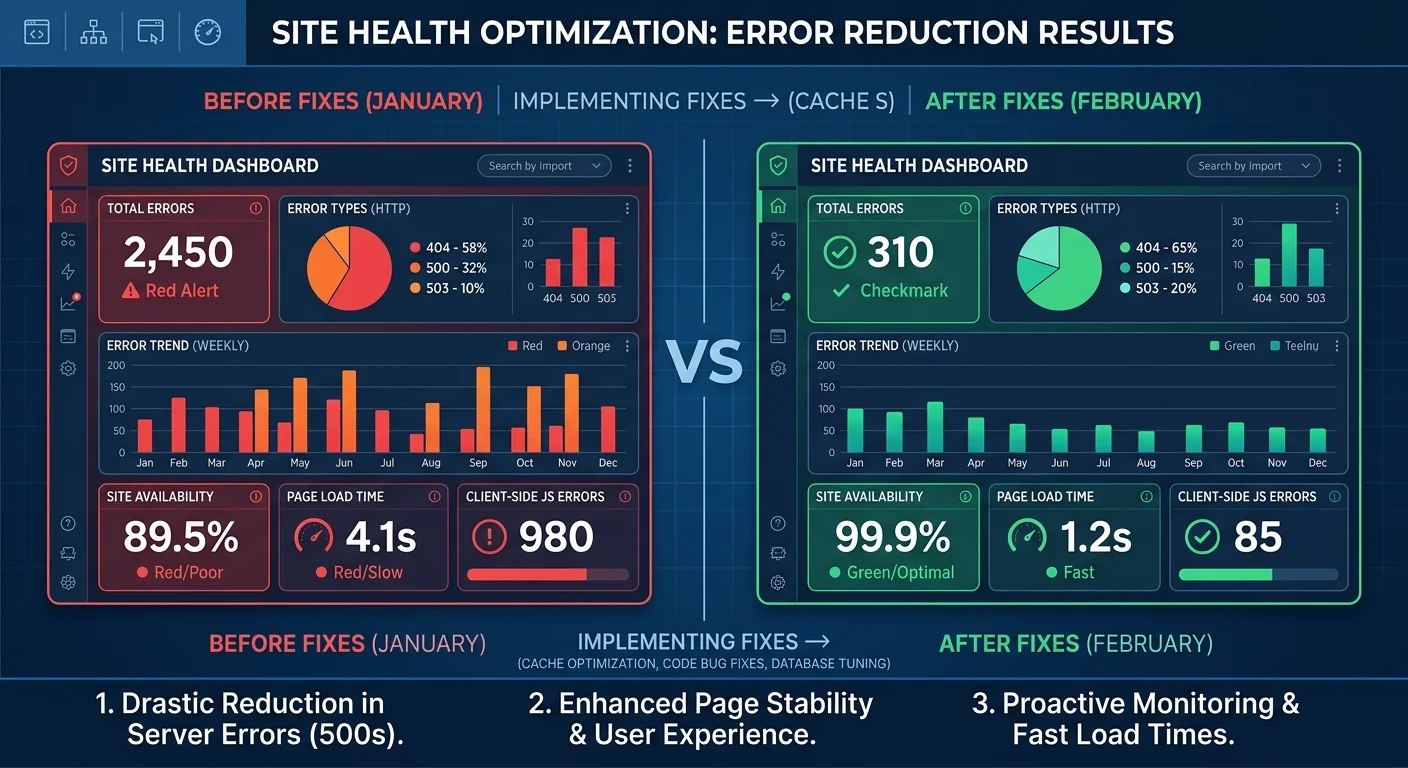
Server errors deserve top priority because they signal to Google that your infrastructure is unreliable. A single page returning a 500 error is a nuisance; dozens of pages returning 503 errors tell search engines your server can't handle basic requests. Google has publicly stated that persistent 5xx errors can lead to reduced crawl rate, which means fewer of your pages get discovered and indexed. Start by checking your server logs—not just your CMS dashboard—to find the exact timestamps and request paths triggering these failures.
Common 5xx Error Sources
The most frequent culprits behind 500 errors are broken PHP scripts, database connection timeouts, and misconfigured .htaccess rules. If your site runs on WordPress, deactivate plugins one at a time to isolate the conflict. For 502 and 503 errors, check whether your server's memory or CPU limits are being exceeded during peak traffic. Upgrading your hosting plan or implementing server-side caching with tools like Varnish or Redis often resolves these issues immediately.
Test your fixes by requesting the previously broken URLs with a tool that lets you inspect HTTP headers. Confirm you get a clean 200 response. Then monitor those URLs in Google Search Console over the following two weeks. If Google re-crawls them and the errors disappear from your report, you're in the clear. Don't forget to check your CDN configuration too—miscached error pages can persist long after the origin server is fixed, making it look like the problem continues.
Never ignore intermittent 503 errors. Google may interpret repeated timeouts as permanent unavailability and de-index affected pages.
If your site uses a load balancer, verify that health checks are configured correctly. A misconfigured health check can route traffic to a failed backend node, generating 502 errors that appear random but are actually systematic. Document which server changes resolved each error so your team can respond faster next time. Building a runbook for server-side crawl errors saves hours during future incidents and prevents the same problems from recurring after infrastructure updates.
3. Resolve Broken Links and Redirect Issues
Broken internal links are the most common crawl error on most websites. Every time you delete a page, change a URL slug, or migrate content without setting up proper redirects, you create a 404 that search engine bots will eventually find. The fix is straightforward: implement 301 redirects from old URLs to their most relevant current equivalents. Avoid redirecting everything to the homepage. This is a soft 404 signal and provides zero value to users or search engines. Match the old content to the closest new page.
Handling Redirect Chains
Redirect chains occur when URL A redirects to URL B, which redirects to URL C, and sometimes beyond. Each hop adds latency and dilutes link equity. Google claims it can follow up to 10 redirects, but in practice, longer chains increase the chance of crawl abandonment. Audit your redirects and collapse any chain longer than two hops into a single 301 pointing directly to the final destination. Most server configurations allow you to update these in the .htaccess file, Nginx config, or your CMS redirect manager.
Redirect loops are more dangerous than chains because they trap crawlers in an infinite cycle. A loop happens when page A redirects to page B, and page B redirects back to page A. These are usually caused by conflicting redirect rules—one rule forces HTTPS while another forces the non-HTTPS version, for example. Test suspicious URLs using curl with the -L flag to follow redirects and spot loops before they burn your crawl budget. Fix the conflicting rules at the server level rather than adding yet another redirect on top.
"Every broken link on your site is a missed opportunity for both users and search engines to reach your best content."
After fixing broken links and redirect issues, update your internal linking. Search through your content management system for any pages still linking to the old URLs. While the 301 redirect will handle the transition, direct links to the final URL are always faster and cleaner. This step is especially important on high-traffic pages where every millisecond of load time matters. Run your crawler again after making changes to confirm the fixes resolved the errors you targeted.
If a deleted page has no relevant replacement, returning a proper 404 status code is better than a misleading redirect to an unrelated page.
4. Clean Up Soft 404s and Orphan Pages
Soft 404s are pages that return a 200 status code but contain little or no meaningful content. Google's algorithm is quite good at detecting these thin pages with "no results found" messages, empty category pages, and paginated archives with zero entries all qualify. Google Search Console flags soft 404s explicitly, making them easy to find. The fix depends on the page: either add substantial content to justify its existence, redirect it to a relevant page, or return a genuine 404 status code so Google stops wasting time crawling it.
Detecting Orphan Pages
Orphan pages present a different but related problem. These are pages that exist on your server but have no internal links pointing to them. Search engine bots can only find orphan pages through your sitemap or external backlinks, which means they're effectively invisible to normal crawling. When you scan your website for technical SEO problems, compare your sitemap URLs against the URLs your crawler actually discovered through internal links. Any URL in your sitemap that wasn't found by following links is potentially orphaned.
Use a log file analyzer alongside your crawler to compare which URLs Googlebot actually requests versus which ones your sitemap declares.
The solution for orphan pages depends on their value. If the page receives organic traffic or has backlinks, add internal links to it from relevant parent pages. If the page is outdated or irrelevant, either redirect it to a better page or remove it from your sitemap and let it naturally drop from the index. Cleaning up orphan pages improves crawl efficiency because search engines spend less time on pages that don't contribute to your site's overall quality or topical authority.
Large e-commerce sites are especially prone to both soft 404s and orphan pages. Seasonal products go out of stock, creating empty product pages that return 200 status codes with "currently unavailable" messages. Faceted navigation generates thousands of URL variations that no internal link ever references. When you perform regular audits monthly for large sites, quarterly for smaller ones, you catch these issues early. The compounding effect of hundreds of soft 404s and orphan pages can significantly reduce the percentage of your site that Google actually indexes and ranks.
Frequently Asked Questions
?How do I collapse a redirect chain into a single redirect?
?Is Google Search Console enough or do I also need Screaming Frog?
?How long does fixing crawl errors take before rankings recover?
?Can soft 404s hurt a site more than real 404 errors?
Final Thoughts
Fixing crawl errors isn't a one-time project; it's an ongoing discipline. Every content update, URL change, and server migration introduces the potential for new errors. Build crawl error monitoring into your regular workflow by scheduling automated audits and reviewing Google Search Console reports weekly.
The process outlined here categorizes, prioritizes server errors, fixes broken links and redirects, and cleans up soft 404s, giving you a reliable framework that scales from small business sites to enterprise-level domains. Your search visibility depends on search engines actually reaching your content, and that starts with eliminating the barriers crawl errors create.
Disclaimer: Portions of this content may have been generated using AI tools to enhance clarity and brevity. While reviewed by a human, independent verification is encouraged.